Public scan and dry run
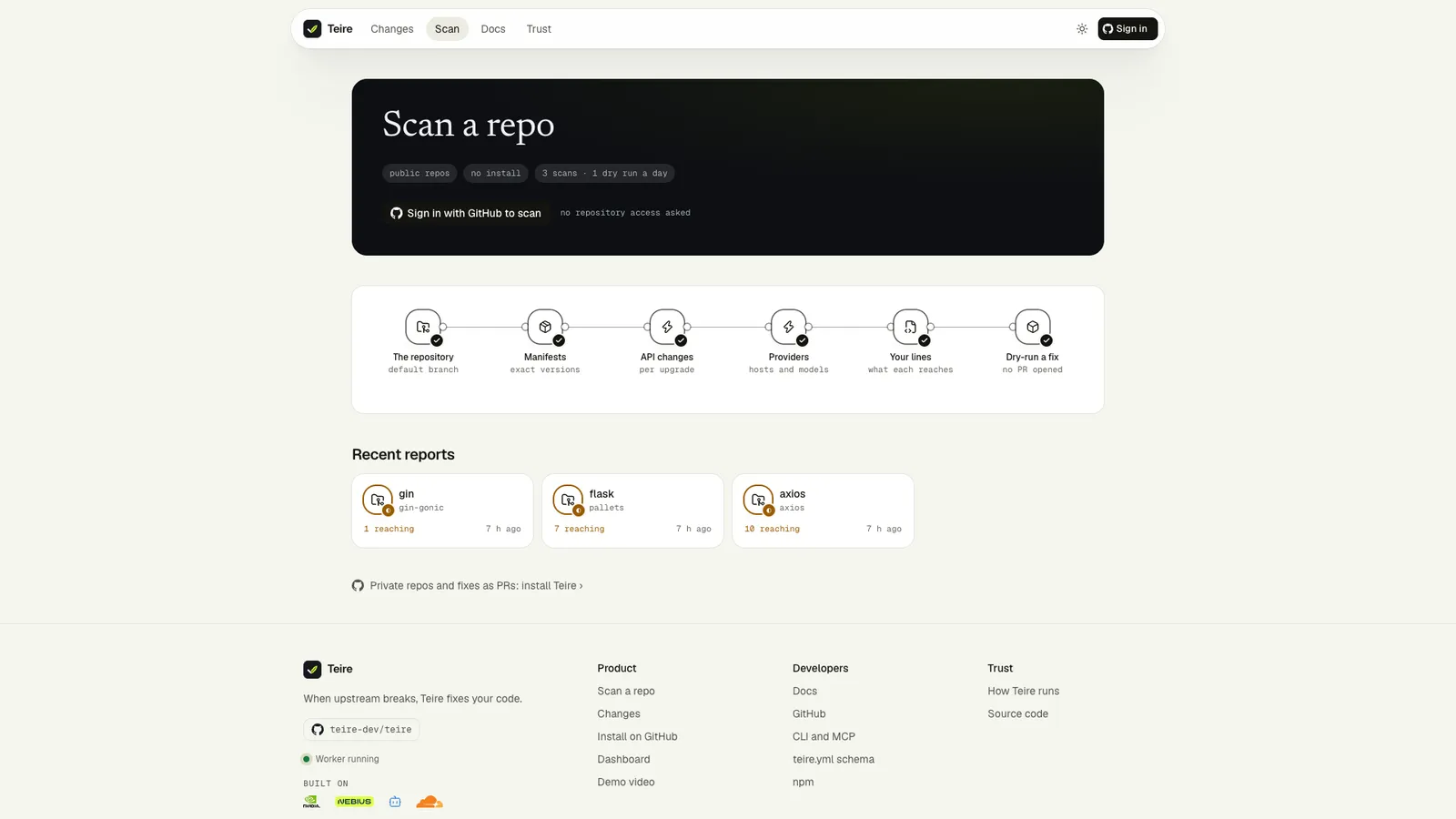
See what would break in any public repository without installing anything, then watch Teire fix one change in the sandbox, without opening a pull request.

 owner/
nameany public repo - Scan1–5 minutes
- The reportlines at one commit
 Dry runone change
- PR previewnever opened
A public scan runs the same assessment as an installed repository. It reads every dependency, every API host and model ID, and the runtime pins. It asks for no repository access and writes nothing to GitHub.
Limits
| Public scans | |
|---|---|
| Who | Anyone signed in with GitHub. Reports and runs of public repositories can be read without signing in |
| How many | 3 scans and 1 dry run per person, over a rolling 24 hours |
| Which repositories | Public ones, up to 300 MB as GitHub reports their size |
| What is read | The default branch at its latest commit, with the repository's own teire.yml |
| GitHub access | Your own sign-in token, read only, so your rate limit applies; anonymous when that fails |
The report
The report page updates by itself while the scan runs. Most repositories take one to five minutes. A finished report shows:
- Dependencies read, per ecosystem as direct · transitive, with the files searched and how the lines were resolved (type-level or syntax-level),
- Deadlines: dated changes that reach the code,
- Affected: each change with its call sites linked to the exact line at the scanned commit,
- Decided in the sandbox: upgrades where some references could not be resolved, so the code alone doesn't settle them; a dry run upgrades and runs the repo's checks before and after,
- Needs a person: changes Teire could not decide alone,
- Checked, not reaching this code: changes Teire looked at and ruled out, with every reference resolved.
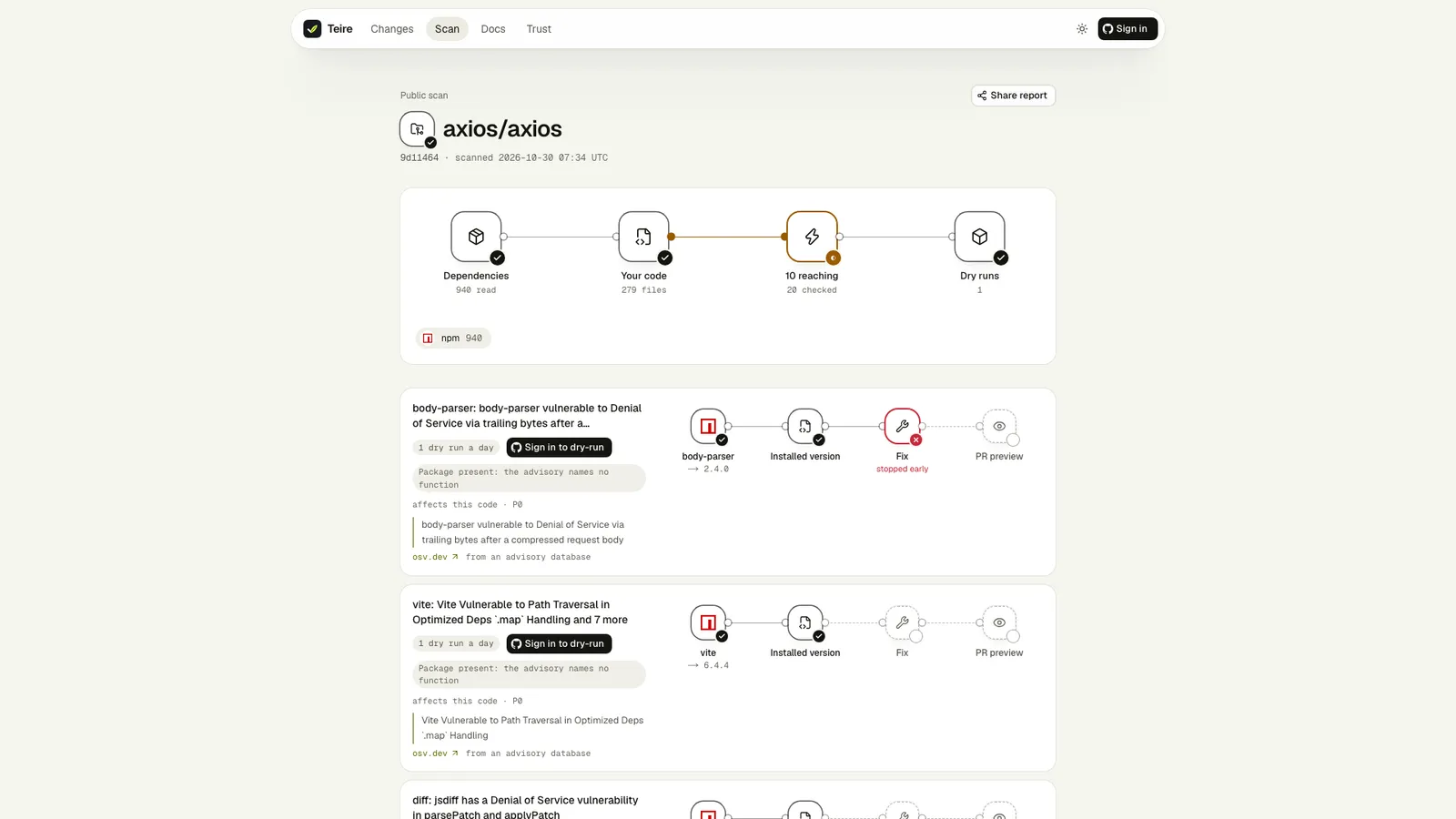
Each change title links to its page in the public catalog, with the source's own words.
Dry-run a fix
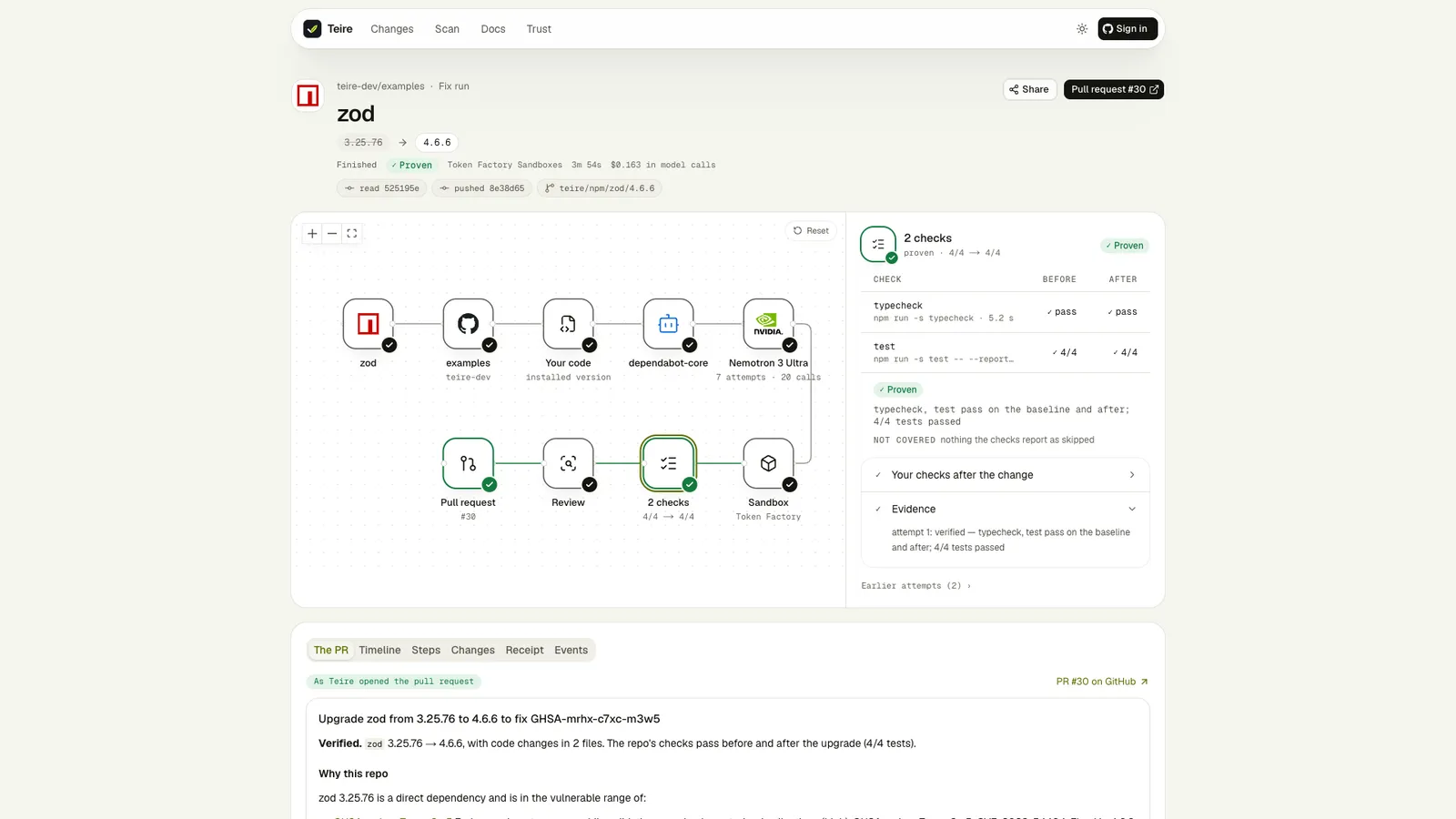
On an affected change, Dry-run a fix runs the whole fix as an installed repository would:
- the upgrade or model swap,
- the Nemotron agent, when the swap or upgrade alone does not pass,
- your checks in two sandboxes, before and after,
- the review of a passing agent fix.
Nothing is written to GitHub. The run page shows each step live and keeps the pull request Teire would have opened. Runtime notices have no dry run, because Teire does not change runtimes.
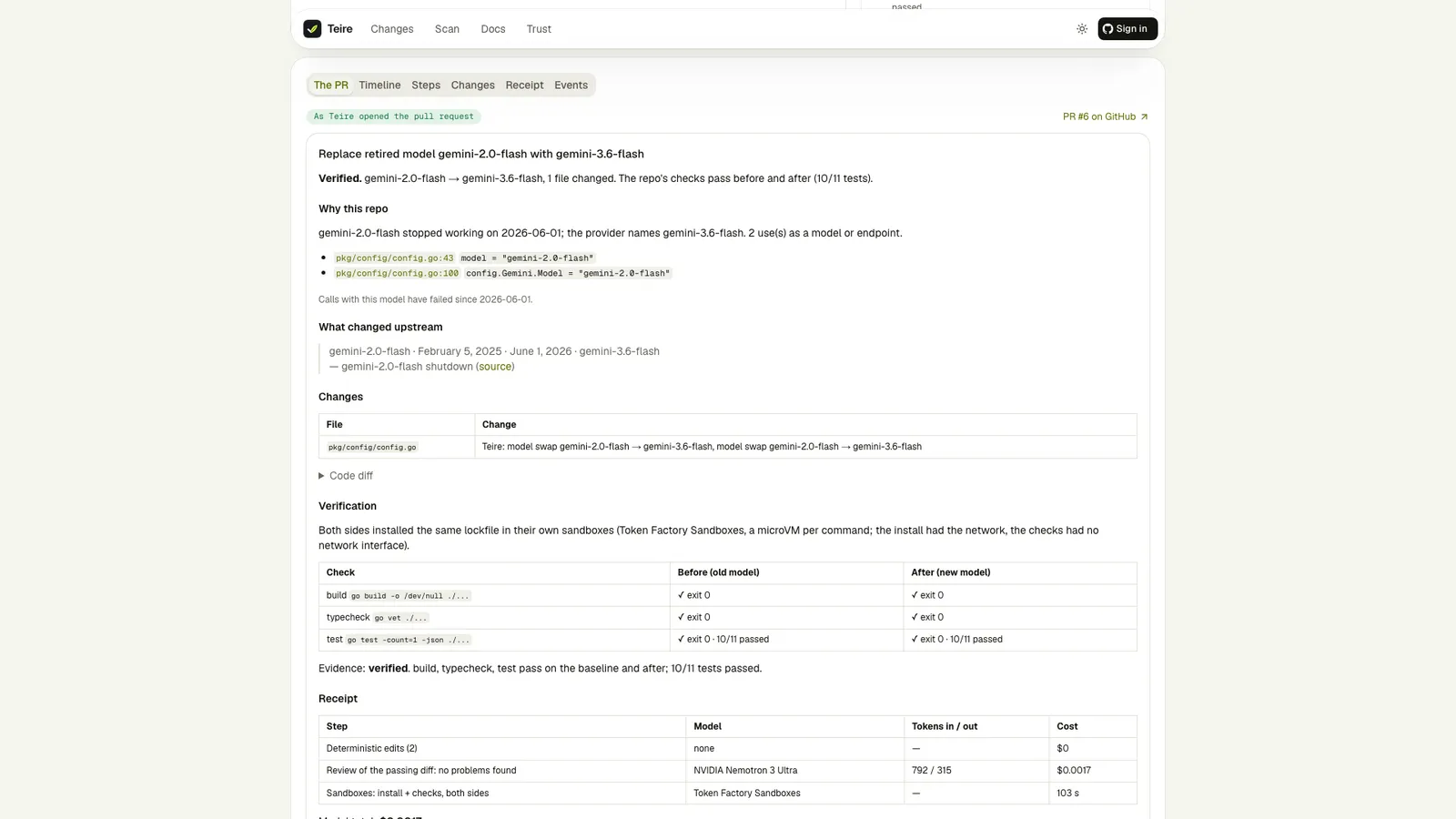
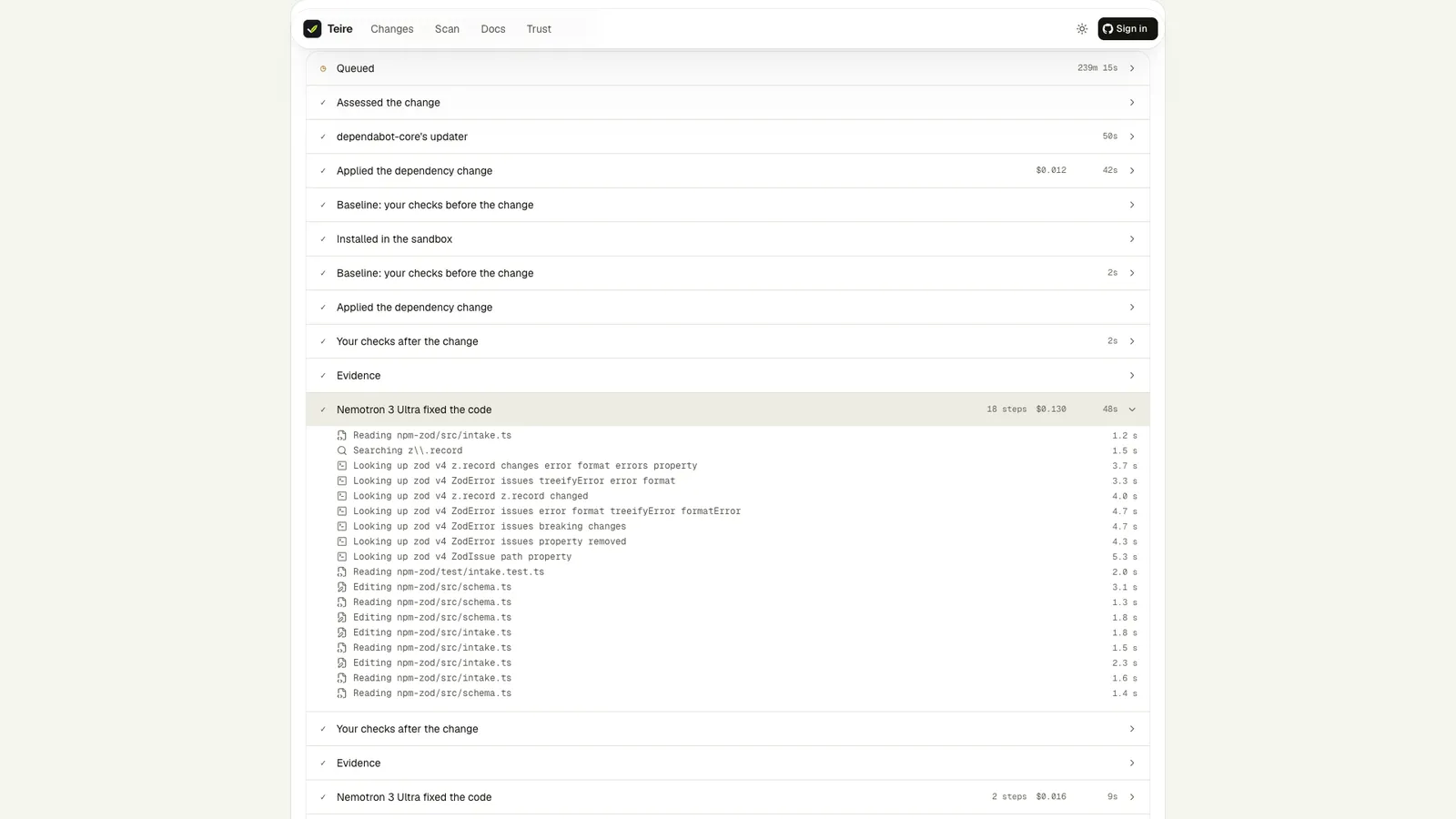
The run page is one sheet, live while the run works: it reads the run every second, without a reload.
| Part | Shows |
|---|---|
| Proof chain | Changed → Reaches your code → Fixed → Proven → PR, each step done, in progress, not proven, failed or not applicable |
| Where the time went | Queued, the updater, the baseline, the fix, your checks and the PR, as measured |
| Trace | Every sandbox command and model call on one timeline, with a replay button |
| Steps | Each step of the run; open one for the agent's tool calls and every command with its exit code, time and output |
| Changes | The code change, file by file |
| The PR | For a dry run: the pull request (or the "needs a human" issue) Teire would open once installed |
| Receipt | Model calls per model (count, tokens, cost), each sandbox command with its exit code and time, and the total |
| Proof (beside) | Each check before and after, the verdict, what the checks did not cover, and every other project the change touched |
| Context (beside) | The release notes, provider pages and docs lookups the run read |
From a report to pull requests
Install Teire on the repository and the same changes arrive as pull requests, each verified the same way. See the Quickstart.
The life of a Teire PR
What happens to a Teire pull request after it opens. The base moves, CI fails, a newer version ships, someone pushes a commit or closes it. Each event, what Teire does, and the words it posts.
Dashboard
Every installed repository in one place, drawn as flows, and a Teire Dashboard issue in each repository with checkboxes for the main @teire commands.